Simulator demonstration
Tennis Momentum Match Engine
A compact simulator that models bias based chance for the next point and proves it with exact visual replays by seed.
My role Simulation and interface engineering

A hands-on probabilistic simulation that models tennis match dynamics with momentum shifting bias, rendering a full GUI court view that is fully deterministic and replayable from a seed. It bundles engine logic, adapter streaming, animation planning, and user interaction in a compact project.
Technical Explanation
Engine samples each point using an effective bias. Bias updates from momentum and server advantage with clamping for safety. A seeded planner turns outcomes into the same visual path every time. An adapter streams engine events to the viewer. Pygame renders a meter based court with stable scaling. The build covers assignment goals: input validation, methods, loops, randomness, and style.
Problem
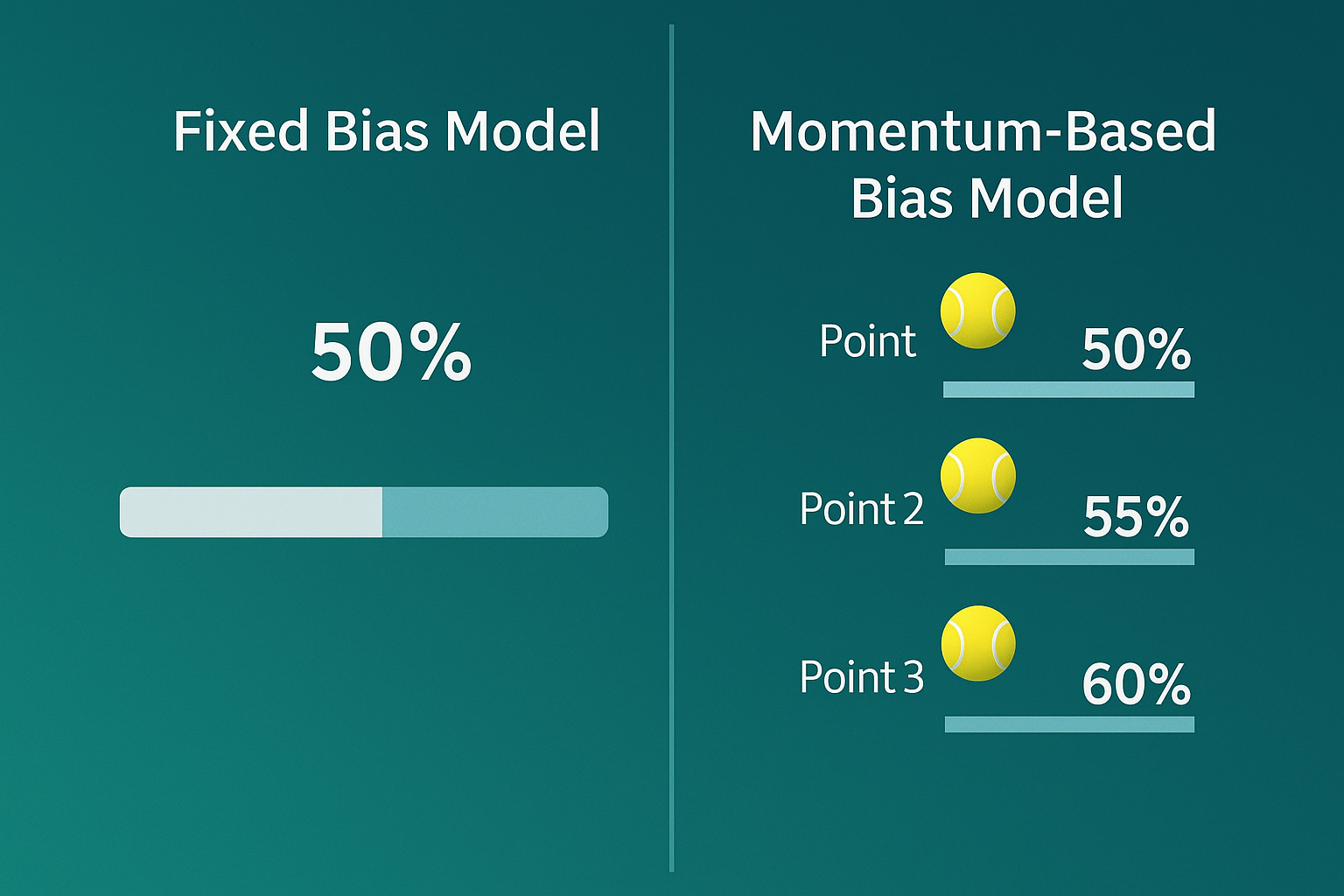
Fixed probabilities feel static, while real matches breathe and small wins tilt the next point. In software simulations, static models lack the dynamic realism of real world scenarios, making them less engaging and harder to debug without reproducible visuals.
Technical Explanation
This engine addresses that by owning scoring, momentum, bias, and sampling; converting events to a compact point stream via an adapter; building timed animation plans; and advancing points on user input. Determinism enables exact replays, highlighting value in creating reliable, interactive simulations for gaming, education, or data modeling.
Approach
- Engine owns scoring, momentum, bias, clamping, server advantage, and sampling to drive realistic point outcomes.
- Adapter converts events to a clean point stream and terminal reasons for efficient data flow.
- Animator builds a two second plan at 1.0× speed with seeded timing, including serve and rally plans with normalization.
- Viewer advances points on user input, rendering full singles geometry with correct serve sides.
- Bias model integrates momentum net nudges toward the last winner, with steps of 0.5 for points, 1 for games, and 2.5 for sets. Base bias is starting bias plus 0.8× momentum net, clamped from 10 to 90. Just before sampling, subtract 3 if A serves or add 3 if B serves, then draw once.
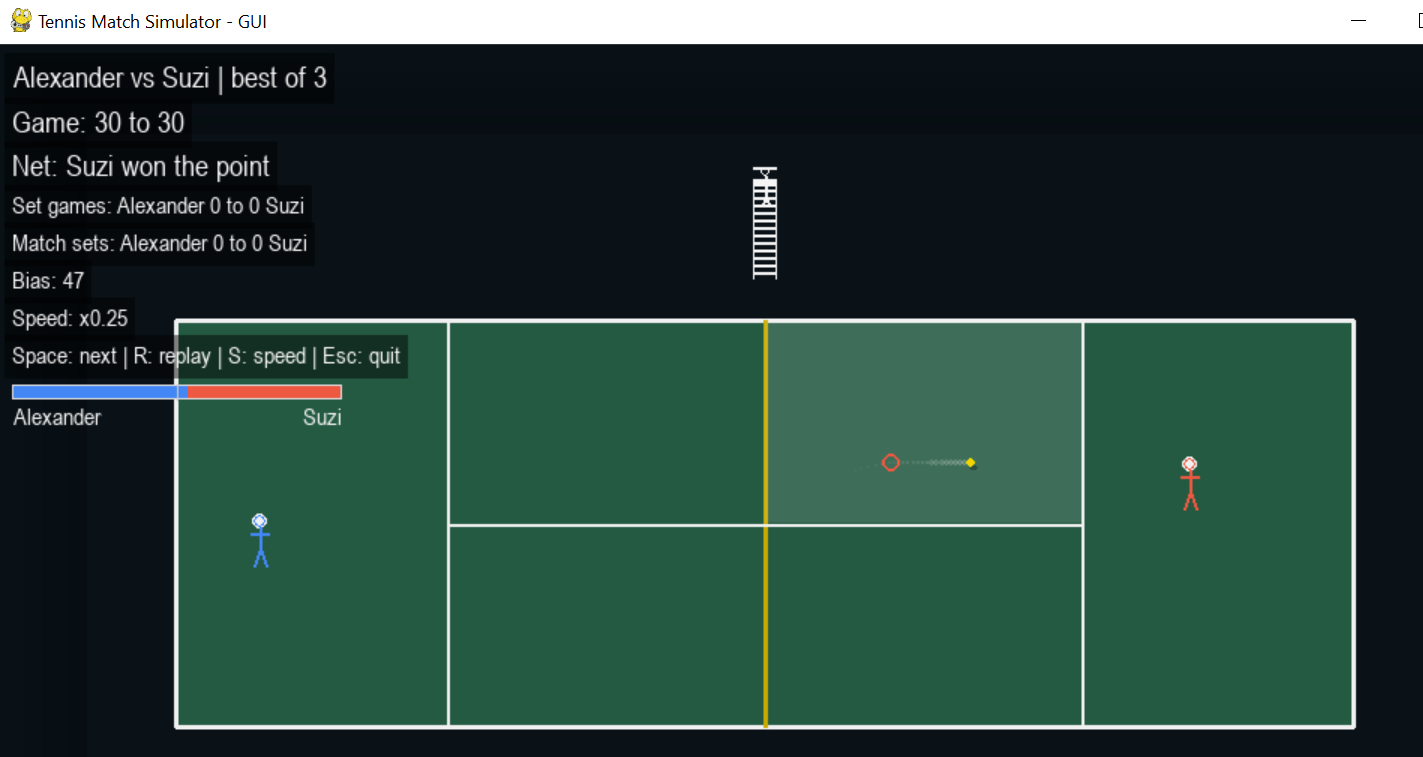
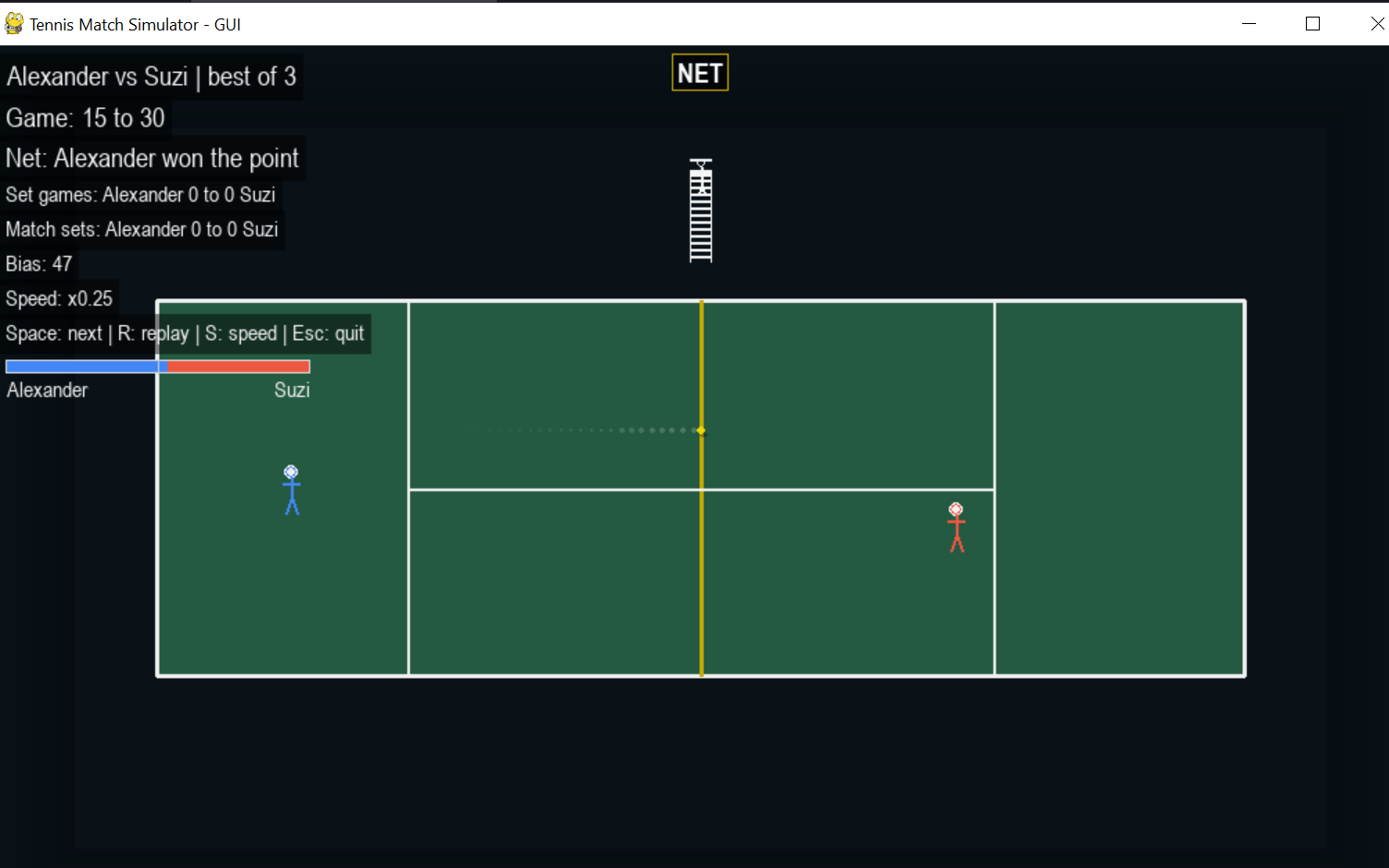
- Visuals include diagonal serves into the correct box; a SECOND SERVE banner on faults; straight segments with a light trail, contact ring, and small bounce pop; top center OUT, NET, or MISS labels; and a HUD with names, scores, set tallies, numeric bias, and a live bias bar.
- Determinism means the seed controls all visual planning. The last point plan is cached for exact replay, and the same seed reproduces the match on any machine.
Technical Explanation
The bias is the chance that Player B wins the next point before server advantage. The GUI is fully deterministic from a seed, so visuals replay exactly. The engine decides winners using effective bias, updating from momentum and server advantage with clamping. The adapter streams to the viewer; Pygame handles rendering. This bundles simulation, UI, event loops, and reproducibility, proving behavior with seed based evidence.
Workflow Story: From Launch to Replay
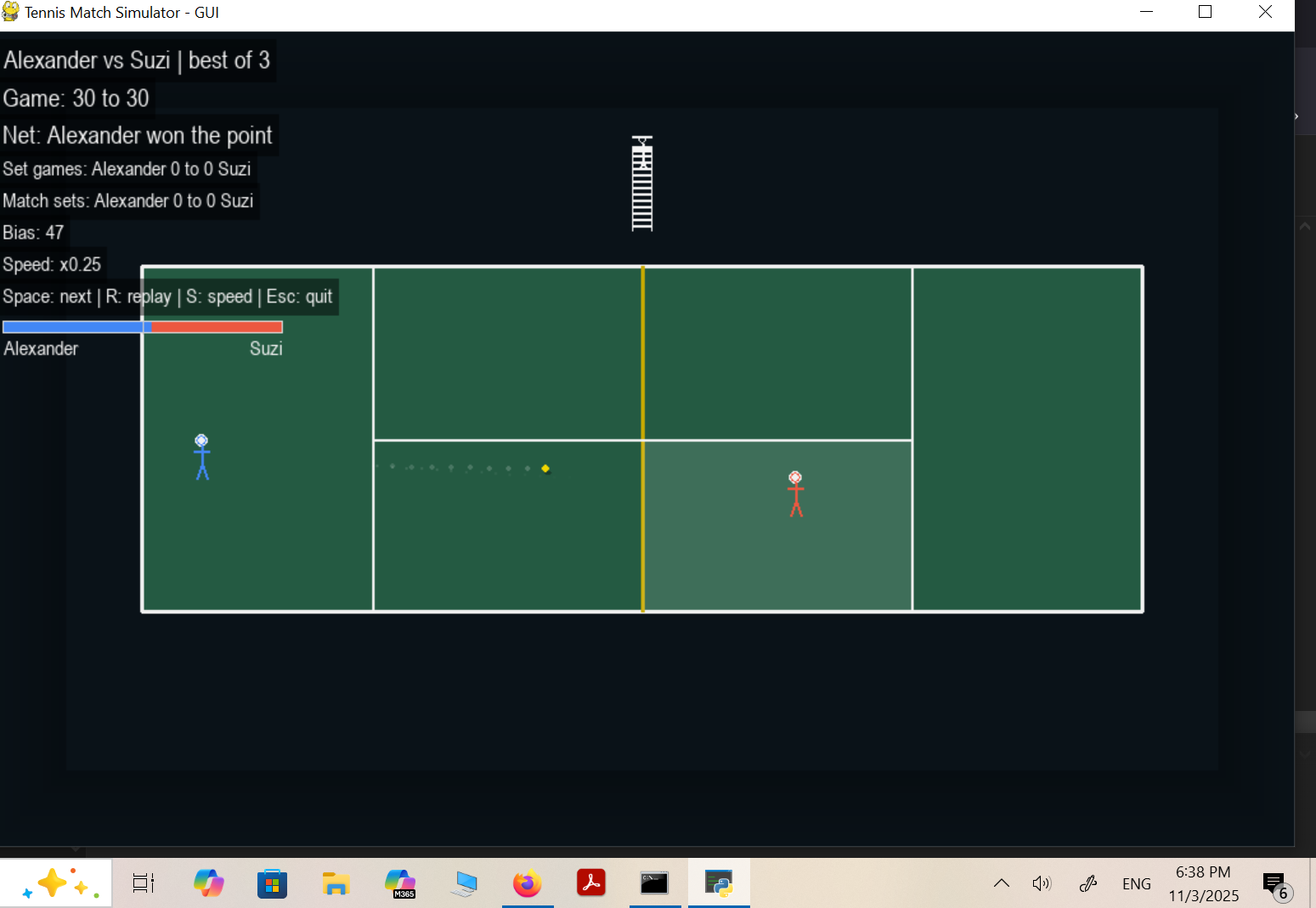
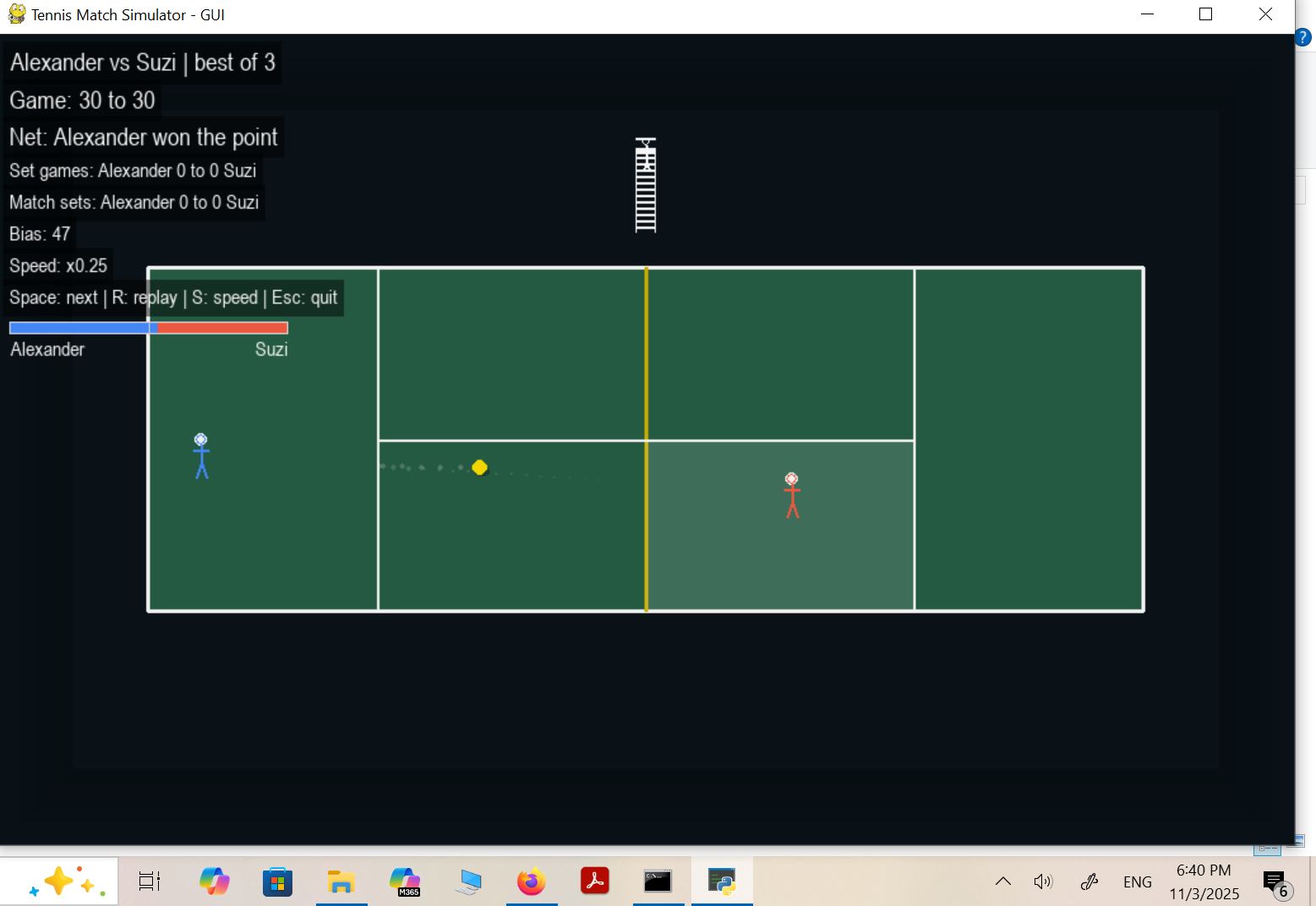
Watch a real time court view while confidence shifts change the chance to win the next point. Press Space or click to play the next point and press R to see the same rally again. Second serve is clear and results are labeled at the top. These snapshots show how user inputs drive dynamic yet reproducible outcomes.
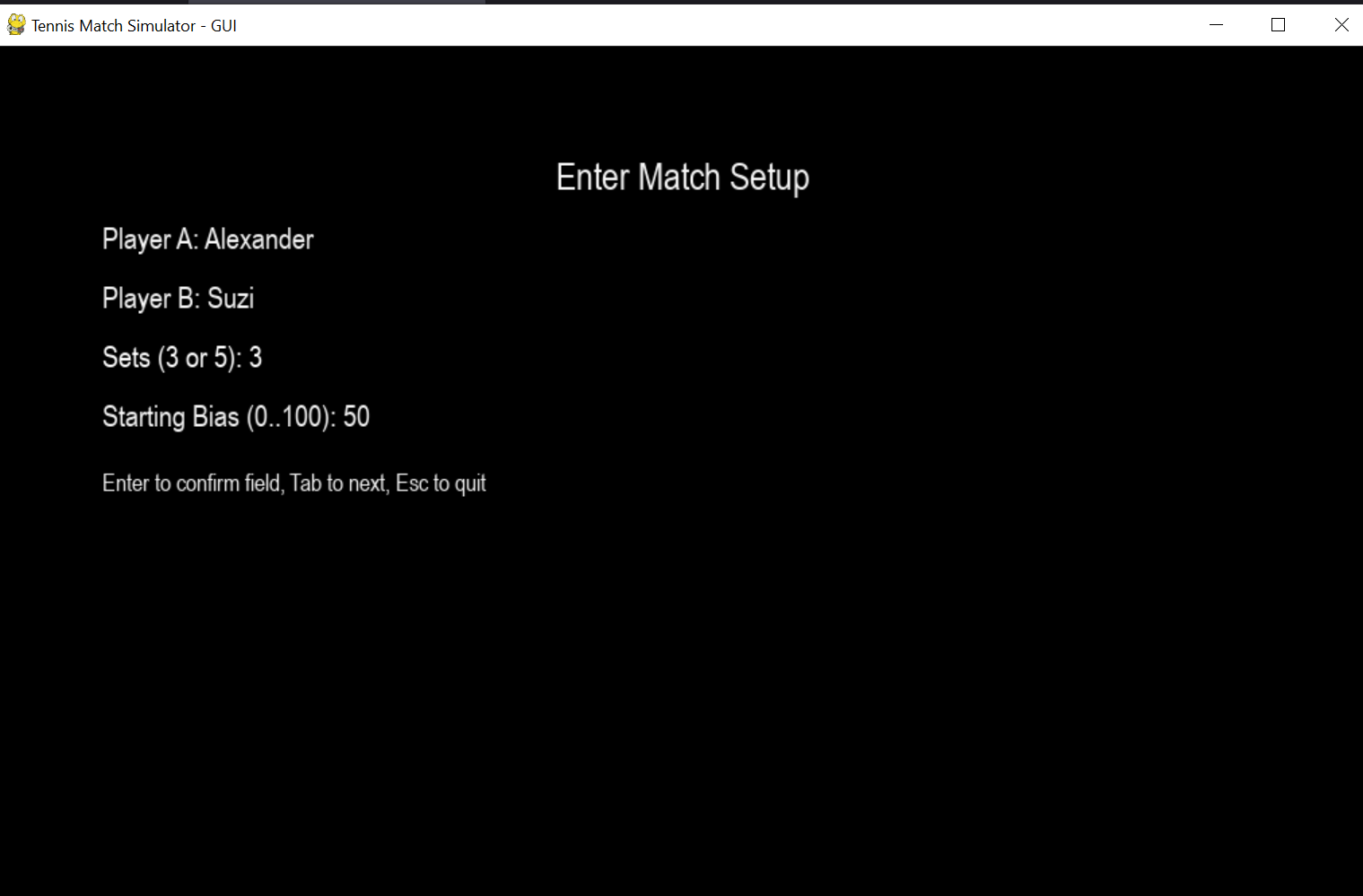
1) Launch and setup
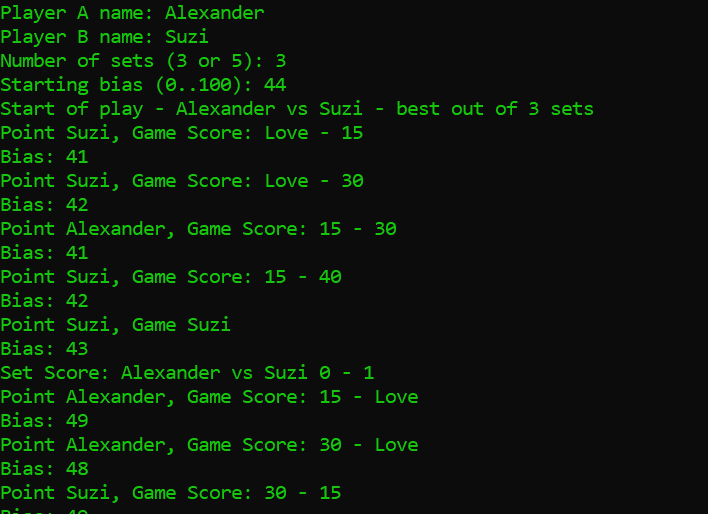
Launch prompts for Player A name, Player B name, number of sets, and starting bias; optional seed and window size via flags. Input validation ensures safe parameters.
2) Play the next point
Press Space or click to play the next point. If first serve faults, a SECOND SERVE banner appears, then play continues. Outcome flashes, momentum updates, and the bias bar shifts.
3) Handle faults and visuals
Serve faults trigger a large SECOND SERVE banner with a short pause. Ball paths use straight segments with a light trail, contact ring, and bounce pop; errors display OUT, NET, or MISS at top center.
4) Replay for verification
Press R to replay exactly the last point, leveraging the cached plan and seed for determinism. This proves reproducibility across runs and machines.

5) Adjust and control
Press S to cycle speeds, starting at 0.25×. Esc or Q exits. Controls maintain the simulation’s integrity.

6) Seeded example run
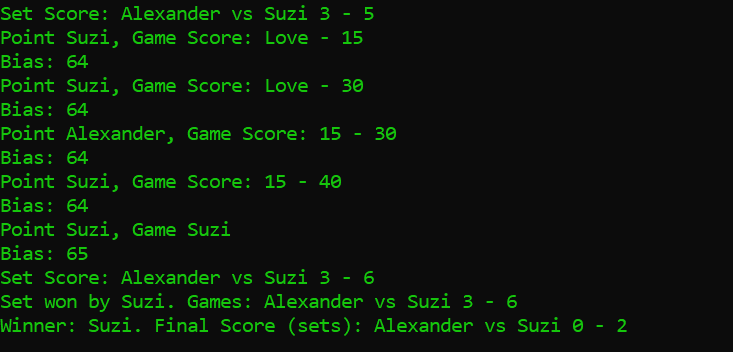
For consistency, use python -m gui.app —no-prompt —player-a Alice —player-b Bob —sets 3 —bias 55 —seed 42. This reproduces the exact match every time.

Results
- Clean probabilistic modeling with a visible bias signal makes simulations feel alive and realistic.
- Seed based reproducibility is ideal for debugging, testing, and educational demos.
- Bundles simulation, UI, event loops, and reproducibility in a compact, modular project.
- Engine and visuals cover full match logic, from bias clamping to server advantage, ensuring safe and engaging outcomes.
- Every run is traceable via seeds, with cached replays for audit style verification.
Tech Stack
- Languages: Python for the core simulation and GUI
- GUI and Rendering: Pygame for the meter based court, stable scaling, sprites, and event handling
- Simulation: Seeded randomness for determinism and probabilistic bias modeling with clamping
- Automation and Structure: Input validation, loops, methods, and randomness handling
- Reproducibility: Seed based planning and caching for exact replays
Technical Explanation
Components include the engine for scoring, momentum, bias clamping, server advantage, and sampling; the adapter for a clean point stream and terminal reasons; the animator for serve plans, rally plans, and timing normalization; the court renderer for meters to pixels and a single scale; the HUD for scores, bias, and hints; the app for the event loop, speed control, and replay cache; and sprites for the ball, players, and small chair umpire tower. Space or a mouse click plays the next point, R replays the last point, S changes speed, and Esc or Q quits.